Showing posts with label new iDrive. Show all posts

Monday, August 13, 2012

First Look: Sakhir Orange 2013 BMW M5 Sedan

We have just received our first Sakhir Orange 2013 BMW M5 Sedan a few days ago and already in a couple of days the owner will take delivery of this beautiful masterpiece. Visually the 2013 BMW M5 looks exactly the same as the 2012 BMW M5 with the exception of the newest generation iDrive with 20GB of Media Storage as compared to the 12GB of it's predecessor. The new menu animation and Navigation Map graphics are butter smooth with the upgraded internal processor, some of the menus have been further improved for ease of use. Under the Hood the The F10 BMW M5 still features the all new Twin Power Turbo 4.4L V8 powerhouse with 560 galloping horsepower with 502 foot pounds of Torque. Oh and by the way, the navigation voice sounds super excited to give you the instructions now.


Monday, July 16, 2012

BMW iDrive Touch Controller (Press Release and Gallery)

The fingers on our hands is quite simply the most natural input device most of us are born with, the new BMW iDrive Touch Controller is the latest innovation which connects technology to our natural ability of touch. Now you can simply pinch to zoom in and out very much like the popular touch screen smart phone. Read the press release and view a gallery of this new innovation after the jump.


Press Release: The introduction of the BMW iDrive Touch sees the development team at the BMW Group integrating a touch-sensitive pad into the iDrive system’s central control unit, the iDrive Controller, for the very first time. Measuring 45 mm across, the multi-touch surface makes certain in-vehicle control functions more intuitive, faster and easier to use.
Incorporating the touchpad into the iDrive Controller means it is ergonomically positioned where it is easy to reach: with entry, selection and confirmation being performed in the usual way using the control knob’s rotate-and-press mechanism, the direct proximity to the touchpad means there is no need for any fumbling around.
The touch surface will initially be made available for the Chinese market from July 2012 and will add various convenience-enhancing functions to the iDrive Controller, including handwriting recognition as well as navigating in maps. One year later, availability of the iDrive Touch and these new functions will be extended to almost all other markets. At this point, a function for surfing the internet is also due to be added, which will allow the mouse pointer to be controlled in exactly the same way as on many handheld devices.

Handwriting recognition: The handwriting recognition function enables characters to be entered with the finger by simply “writing” them on the surface of the touchpad. Whereas previously this could only be done with the “Speller” – a circular arrangement of letters in the display – by turning the control knob, the touch-sensitive surface now recognizes the letters and the Speller instantly jumps to the right point of the alphabet. To further reduce driver distraction, a voice output repeats the character that has been recognized.
The handwriting recognition function is a tremendous boon for the Chinese market especially, which is why the BMW iDrive Touch Controller is making its debut there. With several thousand characters and as many as 21 strokes per character, entering text is a far more complex task than with the Latin alphabet. The reason the iDrive Touch Controller is of such great benefit in China is that the sequence of strokes for starting Chinese characters is basically set in stone, meaning that the selection of characters is already narrowed down considerably with the very first stroke entered by the driver. The choice is further refined with each additional stroke, allowing rapid selection of the relevant character.
Map navigation: Apart from recognizing handwriting, the iDrive Touch also makes it possible to navigate freely within the route map shown in the display and zoom in on it, too. The scale is changed using the two-finger pinch gesture already familiar from many laptops und smartphones. If there is a traffic jam ahead, for example, the driver can adjust the scale of the displayed portion of map using the touchpad, move the view to the hold-up and take a look at the suggested alternative route. The driver can also use touch control to mark the points of interest (POIs) stored in the map, then press the control knob to confirm his choice and display more detailed information. The later version of the iDrive Touch will furthermore allow the mouse pointer to be moved across the display while surfing the internet, just like on a home PC. Pressing the iDrive Controller will then have the same effect as clicking with the mouse.


Tuesday, July 10, 2012

BMW iDrive: The Next Generation Episode 2013 (Gallery)

BMW ConnectedDrive has been setting the pace in the field of automotive connectivity for many years now, and is renowned for forward-looking in-car concepts and technologies that maximize customer benefit. The new functions mark another milestone in the BMW ConnectedDrive success story and once again demonstrate how the BMW Group is striving to retain its status as the leading innovator in this area. (Click Read More to Continue)


The new generation of the BMW Navigation system Professional boasts more powerful and impressive performance than ever, featuring a design rendered entirely in 3D, a modified display and control concept as well as a host of extra Navigation, Office and Multimedia functions.
Dictation function with full speech recognition system: for the first time, the driver is able to compose short texts for emails and SMS messages while driving by simply dictating them. Meanwhile, the function for recording voice memos then sending them by email ensures that any flashes of inspiration at the wheel can be instantly preserved.
BMW iDrive Touch Controller: following the addition of a multi-touch touchpad, not only does the Controller allow characters to be entered with the finger, it lets drivers navigate in maps and websites or magnify them.
• Product debut: the BMW LTE Car Hotspot ushers in the next generation of mobile internet. This particular accessory makes the BMW Group the first car manufacturer to bring the ultimate in high-speed mobile internet to the road – and, what’s more, for every BMW.
• Integration of smartphone applications from third parties: the BMW Group’s Software Development Kit (SDK) facilitates the integration of third-party apps into the vehicle’s native control and display logic, allowing drivers to use their favorite apps in their car.
It was back in 1994 that BMW became the first car maker to offer a built-in navigation system when it made such a system available for the BMW 7 Series. The functionality of navigation systems from the BMW Group has increased enormously since that time, so that route guidance is now just one of a whole array of functions designed to interconnect driver, vehicle and the outside world as intelligently as possible. The new generation of the Navigation system Professional is yet another milestone achievement for the BMW Group.

The new-generation BMW Navigation system Professional instantly makes a winning impression, boasting a new design and an optimised control concept that give its various displays an even more sophisticated, even sharper, even more attractive look. The readouts appear against a black background in a very reduced layout, and the state-of-the-art feel is further intensified by an atmospheric lighting effect. Overall, the new display concept makes the contents even clearer to read and the functions even easier to use. For the first time, the individual menus are structured entirely in virtual, three-dimensional spaces and calculation is performed in real time. Quite apart from allowing smooth scrolling and browsing, the high-performance system with a 1.3 GHz processor and dedicated 3D graphics chip features top-quality animations and dynamic transitions to make the whole operating experience an immensely enjoyable one.
The previous system’s proven menu navigation has been deliberately retained for the new generation of the BMW Navigation system Professional, while new functions have been added to enhance the system’s capabilities and enrich the customer experience. For instance, a new spatial dimension has been added to the way in which the menu levels are displayed: when
sub-menus are selected, they appear dynamically from the right, while the corresponding top menus fade into the background on the left, where they are still visible. In this way, the tactile feedback for the user is accompanied by a direct visual confirmation of their interaction with the vehicle, which furthermore allows them to clearly see their current position within the menu structure on the display.

Besides the new menu display, the route guidance graphics and the map views within the navigation function have also been modified and improved by the addition of various interactive options. The split-screen portion of the central information display, for example, now includes new display functions for the navigation mode. While the driver is still entering the destination by selecting the country, city and street, the chosen destination additionally appears in the map view on the split screen for easier orientation. If necessary, the driver can use a zoom function to change the section of map shown and check that the selected destination is the intended one.

High Guiding and 3D City Models.

For the purposes of actual route guidance, the familiar guiding function using arrows in the split screen has now been supplemented by a High Guiding variant, which clearly flashes up detailed navigation information in the multifunctional instrument cluster display, the central information display as well as the Head-Up Display. High Guiding is automatically activated when the vehicle comes within a certain range of the next navigation instruction: from a distance of 300 metres outside built-up areas and 150 metres in built-up areas, the reduced arrow display switches to a detailed bird’s-eye perspective of the surrounding area. The driver furthermore receives precise directions for changing lane at the right time. As the driver draws closer to the event, the display gradually shifts from the bird’s-eye map view to an overhead view of the traffic situation for optimum orientation and guidance. A dynamic display of the vehicle’s present position calculated in real time serves as an aid that allows drivers to closely track their progress throughout the turn-off phase.

The new navigation view option “3D City Models” features a realistic depiction of surrounding streets and buildings to help drivers get their bearings, provided such a visualisation of the city in question is stored in the vehicle’s database.

The extended toolbar – putting extra functions at the driver’s fingertips.

In navigation mode, there is now an extended toolbar that, for the first time, allows the map contents to be customised quickly and easily without having to exit from the map view. The desired change takes effect immediately, and the driver is able to effortlessly switch the view to suit the current situation and the information required. The moment the driver selects the icon for the extended toolbar with the iDrive Controller, a second toolbar appears as an extension of the original icon bar. This can then be used to open additional selection options in the same view, which were previously only accessible via Option menus. The settings here allow the user to call up Real-Time Traffic Information (RTTI) or weather information, for instance, to display POIs, or quickly switch from the overhead map view to the bird’s-eye view. Depending on the data required, drivers are therefore able to activate individual features, quickly find the necessary information, and then return to their preferred map view.

Interactive map and PIE menu.

The new BMW Navigation system Professional also adds several new functions to the interactive map view. The iDrive Controller can now be simply turned to alter the map scale or tilted to move the section of map in the display, even in a diagonal direction. Another new feature of the interactive map view is the ability to call up special functions directly from the map itself. All the driver has to do is select a point on the interactive map and the PIE menu will open up in front of the map, providing quick and easy access to a wide range of actions. Depending on the information stored, the driver just has to click to show points of interest in the vicinity, view details for them (where available), start navigation to them, change the map view or display the current location or destination. And should any additional data be available for the selected location, such as a telephone number, website details or an email address, the driver can retrieve this information with a click too, then visit the homepage, for example, or write an email. The real beauty here lies in the system’s straightforward, intuitive and quick operation.

RTTI – Real Time Traffic Information.

The latest generation of the BMW Navigation system Professional once again employs RTTI technology for calculating routes and diversions accurately and reliably by factoring in the real-time traffic situation for both route guidance and calculation of the arrival time. By using the 3G mobile network and the vehicle’s built-in SIM card, RTTI offers the benefit of faster data transmission combined with more extensive coverage. What’s more, the new system extends beyond motorways and major highways to cover country roads and even a large number of urban routes as well.

The arrival of the new BMW Navigation system Professional also sees new functions being added to the BMW ConnectedDrive Mobile Office portfolio. It is now possible to have two telephones connected to the vehicle simultaneously, in which case the contact details from both are combined into a joint contact list for phone calls and emails. Calendar and contact information is imported in next to no time thanks to the high-performance hardware, meaning that both telephones are fully readied for in-vehicle use as quickly as possible.

The calendar from an integrated smartphone is now displayed in an enhanced, new-look format. Appointments are visualised in the same way as in popular email programs, while the daily view and calendar navigation have been further simplified, too.

On the multimedia front, a 20 GB hard drive makes for a far richer in-car entertainment experience. Meanwhile, the Music collection search function has been reprogrammed to allow the desired track to be located for playback even faster than before. The extended toolbar principle is once again employed for fast access to additional sub-menu options, as well as even greater simplicity and ease of operation.

New playback functions have been added for a more pleasurable entertainment experience. If the driver likes the song that’s currently playing, for instance, and would like to hear more of the same, simply activating the new “More like this” function generates a new playlist containing similar tracks from the Music collection. The facility for saving favourites in the Music collection by clicking on the “Add to favourites” star icon during playback is another new feature. All favourite tracks can then be found together by going to the Playlists menu item.

Radio+: seeing what you’re hearing.

For the first time, FM radio programmes are accompanied by graphics in the central information display’s player screen, just like digital radio. Where
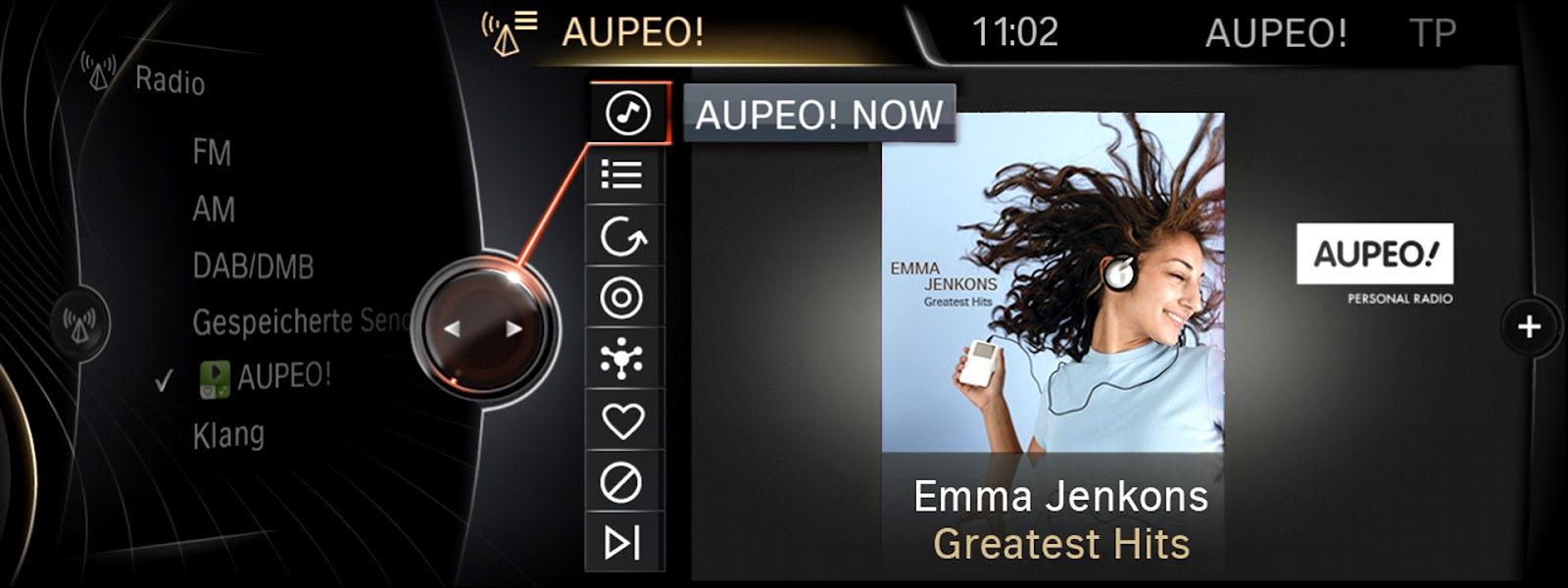
FM radio stations broadcast the necessary data (via radio text or radio text+), the artist, album and genre cover will now be visualised in the same way as they are when listening to DAB radio or using a top-of-the-range device. And even if no data is transmitted by the station, a generic genre cover and the station name will be displayed for a neat, high-quality effect.

BMW Online widgets.

Besides the online functions, widgets can be displayed in split-screen mode. These miniature versions of the BMW Online browser apps have been optimised for the split screen, and blend harmoniously into the high-quality display of the remaining contents. It is initially planned to include a clock as well as a Panoramio widget, with further widgets set to follow.


Monday, May 14, 2012

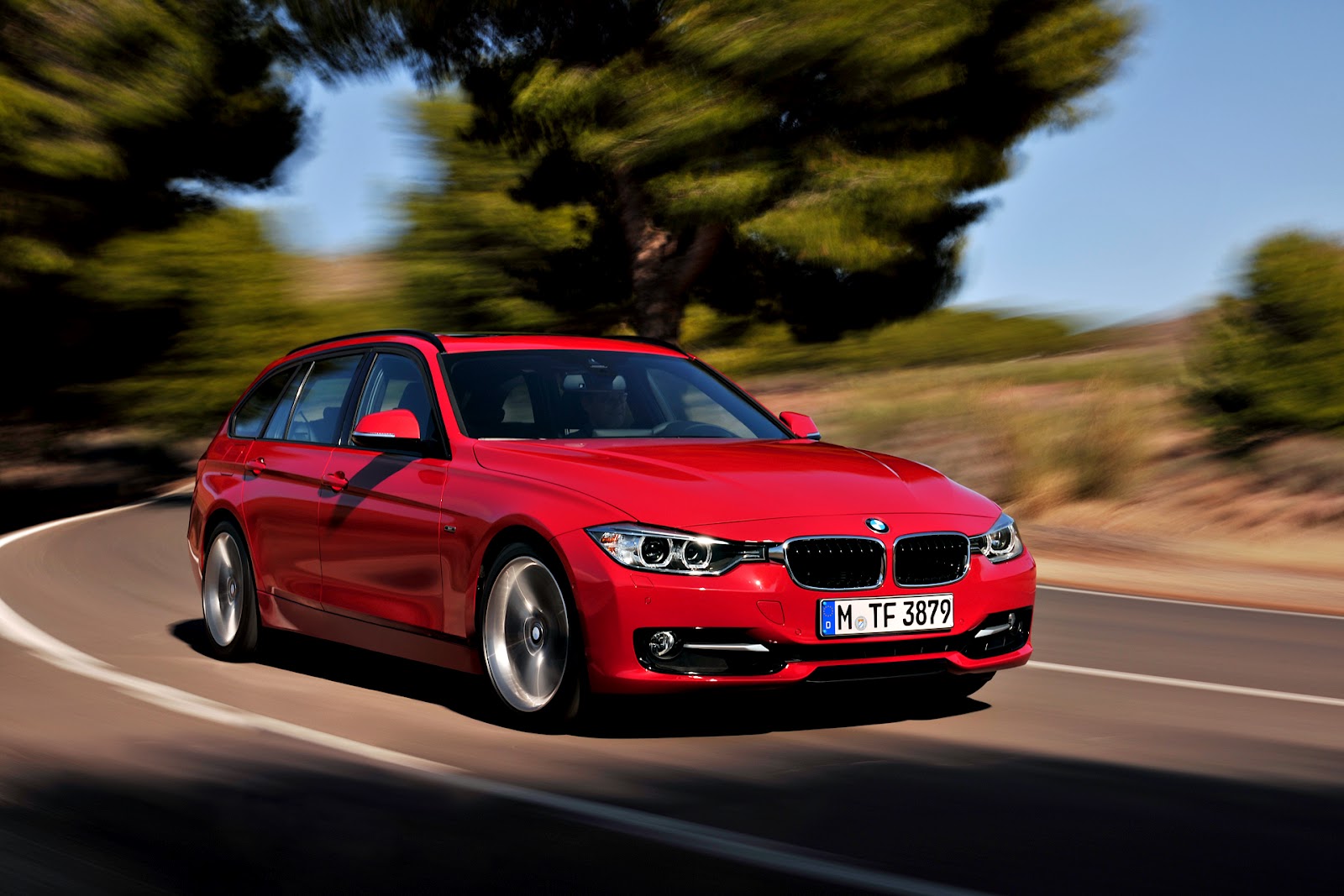
2013 BMW 3 Series Touring (F31) Info and Gallery.

Hatchbacks and Touring had always been a popular choice for Europeans because they are more flexible then a sedans and carries just as much as an SUV and in may cases more fuel efficient. Touring, Sport-wagons and shooting brakes generally lags behind in sales compared to sedans and SUVs here in North America, perhaps with the introduction of this sportier looking and even more efficient new BMW 3 Series Touring; the future may be different.


Some Facts:
No Confirmation to which Models will be available to the Canadian Market.
Available in Modern Line, Luxury Line, Sport Line and M Sport package
Rear seats offer 40:20:40 split
Rear window opens separately from automatic tailgate
Available with full glass panoramic sunroof
Lane Departure Warning and Blind Spot Detection most likely through a Technology Package

When compared to E91 3 Series Touring:
37mm (1.46 inch) wider front track
48mm (1.85 inch) wider rear track
97mm (3.66 inch) longer
50mm (1.96 inch) longer wheelbase
Total 495 liters of cargo room - 10% more cargo volume with rear seats up and folded.

Pricing:
None yet for the Canadian Market, will post once we have it.

Notes:
Have a look at the full gallery after the jump, take a look at the iDrive screen and pay attention to the updated iDrive interface. We think the colors might be customizable.